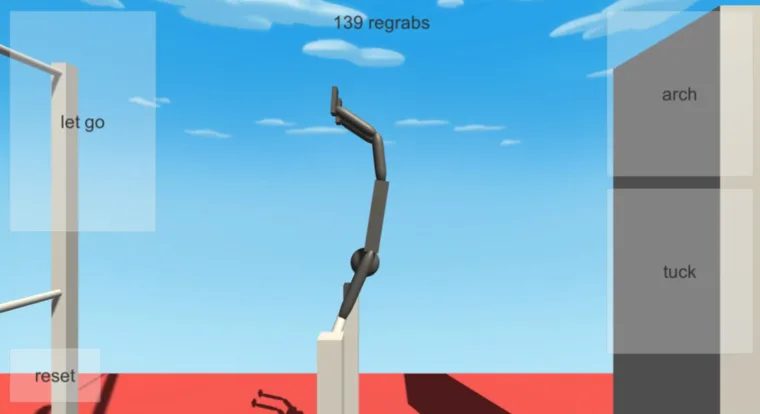
Checked November 5, 2026: the US App Store lists NoomiClone 2.4.6 for iOS. Its 2.4.6 notes repeat the 2.4.5 feature list; a higher version number alone does not establish additional features. Google Play shows an October 26 update date and notes about the newer tutorial and Egon's Dream, but the public page we checked did not expose a reliable version number, so we do not assert one for Android.
Confirmed recent mobile changes
| Source | What it confirms | What it does not confirm |
|---|---|---|
| App Store 2.4.6 / 2.4.5 notes | New learn-practise-test tutorial, up to 1,400 coins, Egon's Dream map, redesigned menus, recolorable accessories and a support path for progress removed by mistake. | Extra 2.4.6-only features beyond the repeated notes. |
| Developer's 2.4.1 notes | Easy, Medium and Hard daily challenges, Chase camera, Map Maker grid snapping and rotating pieces. | Today's task list, exact reset timezone or fixed rewards. |
| Developer's 2.4.0 notes and press kit | Map Maker with share codes, two named water maps and a seven-character custom-map code. | Those mobile features in the classic browser build. |
The developer's update archive uses in-game version labels, while the App Store history has different release numbers for some matching feature notes. We label each claim by its source instead of assuming the numbering lines up across platforms.
For practical detail, read our new Map Maker, daily challenges and mobile tutorial guides. They use the developer's press kit and official store notes; none of these features is attributed to the separate HTML5 browser build.
Store listings describe the newest version of an app. Installed apps lag behind, sometimes by months. A confusing NoomiClone problem can be a version gap: the reader is on one release, the player is on another, and both are describing the same game.
This page gives you a five-minute routine that establishes what your own build actually does, using only your device and the official store pages.
What a fan guide can and cannot tell you
We can tell you what the official Google Play and App Store listings currently describe: touch controls with configurable buttons, 12 bar maps and 6 tumbling maps, twists and layouts among the moves, replay video export with on-screen playback options, an optional account sign-in under Settings → Account, 17 languages and a high-frame-rate option.
We cannot tell you which of those your install has. We do not run your app or see your device. The dated notes above report only what the official sources publish; the steps below show you how to check your own build.
Step one: check your version
Your device's own store listing page shows the version string for the installed app.
- On Android, open the Play Store, find NoomiClone, and look at the listing your device shows.
- On iOS, open the App Store, find NoomiClone, and look at the listing your device shows.
- Note the version string exactly as written.
- Compare it with the store listing on the web, which describes the current release.
A matching version means the store text you have been reading describes your app, so any difference you notice is a reading problem rather than a version problem. A different version means every feature claim in this library is suspect until you check it in the app.
Step two: check the features yourself
This is the part that actually settles a question. Everything below is described in the store listings, and everything below is confirmable on your own device in about two minutes.
| Check | Where to look | What confirms it |
|---|---|---|
| Account backup | App settings, Account entry | A sign-in option inside an Account screen |
| Bar maps | The change map control | A list you can count against 12 |
| Tumbling maps | The change map control | A list you can count against 6 |
| Replay options | Replay settings | Show Buttons and Show Taps present, where the release offers them |
| Replay destination | Export a clip | Photos on iOS, a NoomiClone album on Android |
| HQ exports | Replay export options | A higher-quality option that can use HQ credits |
| Language count | Language options in settings | The 17 languages the listings describe |
| Frame rate | Graphics or display settings | A high-frame-rate option |
What tends to differ between releases
Across app releases the things most likely to differ are naming and placement, not capability. Menu entries get renamed, a setting moves one screen down, a replay option is labelled differently on Android and iOS, and a map list gains or loses an entry. None of that is a defect.
The reverse also happens: a build can be missing a feature the listing describes simply because it predates it. That is the gap you are trying to measure, and the table above is how you measure it.
What a version mismatch actually looks like
Mismatches have a shape, and once you have seen one you rarely mistake it for a bug.
- The missing setting. You read that replay export exists, you look for it, and there is no such option anywhere in the app. That is a build difference, not a menu-navigation problem, once you have searched properly.
- The different count. You step through the change-map control expecting 12 bar maps and land on a different number. Same conclusion.
- The different name. The feature is right there under a label you did not expect. Nothing is missing; only the wording moved.
- The feature that works but feels different. Settings and layouts vary by device, so an option that exists on one phone can look and behave slightly differently on another.
Each of those has a cheap test: compare the version string, then compare the specific feature, then stop guessing. Three minutes of that beats an evening of troubleshooting something your build simply does not have.
If a feature is missing
- Update from the official store. The app should come from Google Play or the App Store, and updating should happen through the same store.
- Reopen the app fully after the update, then check again.
- If it is still missing, it is not in your build. Not hidden behind a setting, not unlocked by a purchase. Absent is absent.
- Do not install a side-loaded or modded build to get it. Such builds are outside the account backup, outside the store support path, and can put your progress somewhere unrecoverable.
That last point is worth stating plainly because the workaround is widely suggested online. The account feature described in the listings works with the official app. Moving to a different build to obtain an account system is the opposite of backing anything up.
The browser build changes as well
Updates are not only an app-store story. The classic browser build is distributed on its own page, and that page is the only source for what its controls are. If a future listing there documents something new, our technique pages should move slowly and cautiously rather than assume it.
Until that happens, the rule stands: four keys, no twist input, no map-change key, no stated map count. A tutorial written against anything else is written for a build you do not have. The edition comparison is the page to read first whenever that assumption shows up in advice.
Reading these guides against your build
When a page here describes a mobile feature, it is describing the store listing, and the store listing describes the newest release. When a page describes the four browser keys, it is describing the developer's browser listing, which is a separate, smaller game.
If a technique page contradicts your screen, your screen is the fact and the page is out of date. Check your version with the routine above, and read the edition comparison if you are not sure which build you are on.
Keeping your own record
Two minutes of notes beats any fan page when your install behaves differently. Keep three things: the version string, the date you checked, and the outcome of the table above. When something breaks six months later, that record turns an argument into an answer.
If you enjoy the app, the store pages for the official build are linked from the Google Play and App Store listings this guide is built from, and the developer's browser build is at its own itch.io page. For everything else, the guides index is the place to start.
Frequently asked questions
How do you check which NoomiClone version you have?
Check the version inside the app, then check the features you rely on. The guide splits this into two steps because the version number and the features present in your build are not always the same thing, especially on the mobile editions.
How do you know a NoomiClone update changed something?
Check your own device against the current store listings. The guide covers what tends to differ between releases, what a version mismatch actually looks like in play, and what to do if a feature you expected is missing.
Does the NoomiClone browser build change too?
Yes. The browser build is also updated, which is why the guide covers checking features in the app and reading these guides against your own build rather than trusting a description written for a different version.
How do you keep a record of NoomiClone updates?
Record your installed version, the date you checked it and the features you tested. The guide gives a dated summary from the official stores and developer notes, but those sources cannot show which release is installed on your own phone or whether a particular menu is present there.
Sources and scope. Browser key bindings and mobile feature descriptions were checked against the developer's browser listing, Google Play and App Store on November 5, 2026. Practice drills are independent editorial suggestions. Game screenshot provenance is documented in About & sources.