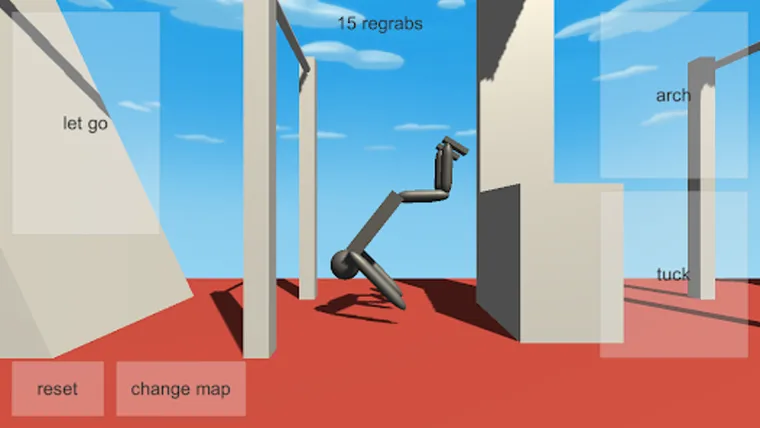
Where to run the browser build
There are three reasonable places to play the classic HTML5 version on a PC, and they run the same four-key build.
- In this site's game frame. The portal embeds the build directly, so you can start from any page here without an install. Use the play link at the top of the site, or from the game frame.
- On the developer's itch.io page. The official browser listing has a Run game button that loads the build in an embedded frame, plus the control line this whole site is built on.
- On the developer's Simmer page. The listing also publishes an alternate link to simmer.io under the same developer account, if the itch embed misbehaves for you.
There is no installer and no account to create for the browser build. The listing still describes the project as in development, which is worth remembering when something looks unfinished.
What you are loading
NoomiClone is built in Unity and published as an HTML5 game. The copy this site serves is roughly 20 MB of engine data split across a few large files, and it runs single-threaded without needing cross-origin isolation headers. Two practical consequences:
- The first load is genuinely slower than later ones. The engine data has to arrive before anything appears. On a cold cache over a slow connection, a wait is normal.
- The build wants a desktop browser. It is designed around keyboard input and a landscape view. A narrow window or a scaled browser zoom makes the bars harder to read.
The browser caches that data after the first visit, so a second run in the same browser starts far quicker. A load that was fast yesterday and slow today points at your connection, a background download or an extension, not at a heavier build.
None of this needs configuration on your machine. If something is wrong, it is almost always focus, the window shape, or the browser's own graphics settings rather than the game.
Focus, window shape and screen setup
Do these three things in order before you decide anything is broken.
- Click once inside the game area. The build reads keys from the page holding the canvas. Click a link or the page background first and the game sees nothing.
- Widen the window and reset zoom to 100%. Zoomed-out pages make the bars and the gymnast small, and zoomed-in pages crop the next bar out of view.
- Keep the game window visible. Browsers pause animation in background tabs, so a swing that froze when you switched tabs is normal behaviour, not a bug.
Fullscreen is optional. It removes distractions and nothing else; the game does not expose a fullscreen binding of its own.
The first load is not a hang
A blank or still frame while the engine data downloads is the most common false alarm. A few things make it worse than it needs to be:
- Reloading repeatedly restarts the download instead of finishing it.
- Background tabs throttle the loading, so switching away can stall it.
- Browser extensions, especially content blockers and privacy tools, sometimes hold back or cancel large asset requests.
So: open the page, leave it in front, and give it time. If it stalls partway through every time, test with extensions disabled for that page, and check whether a VPN or a corporate network filter is interfering. The browser issues guide has the full diagnostic list.
When the arrow keys scroll the page
| What you see | What to try |
|---|---|
| ← and ↑ move the page instead of the gymnast | Click once inside the game area, then press the key again. |
| The page jumps after every release | Same fix. The canvas needs focus before the keys are sent. |
| R works but the arrows do not | Check the browser window is focused, then click the canvas. Also confirm the keyboard is not remapped. |
| Keys stop responding after a tab switch | Click back into the game area. Background tabs pause the animation until the page is active again. |
| Nothing works in an embedded view | Open the build in its own tab or window rather than inside another page's frame. |
Blank or frozen screen
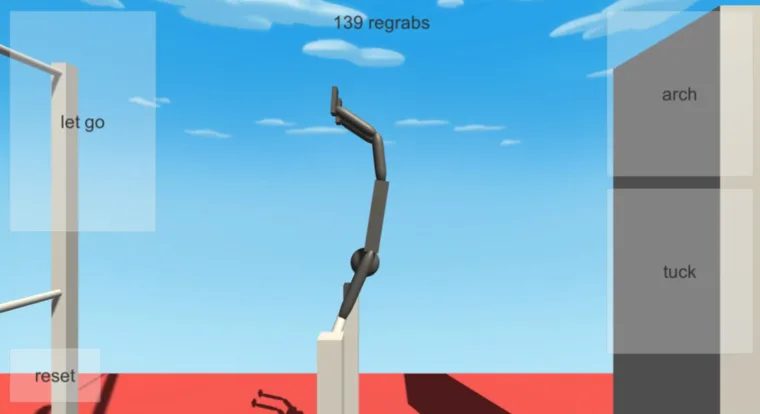
If the build loads but shows nothing, or loads and then locks up, work down this list:
- Reload once, fully. A normal reload usually fixes a half-finished load; a hard reload clears the cached copy.
- Check that hardware acceleration is on. Browser games commonly rely on it, and it is sometimes disabled by default on older drivers or in managed workplace settings.
- Close heavy tabs. The build is single-threaded and sensitive to a busy machine. Background video, streaming and heavy browser tabs can starve it.
- Try a second browser. If it renders in one browser and not another, the problem is the browser, not the build.
- Try a resize. If the canvas goes blank after you drag the window between monitors or change display scaling, reload after the resize.
Never work around a blank screen by holding keys. There is nothing to control until the canvas has rendered.
Compact keyboards and modified keys
On small laptop keyboards the arrow keys are often half-height and share a row with Fn or a mode key. If ← or ↑ dim the screen, change volume or move the pointer, you are not pressing the key the game wants to see. Use an external keyboard, or remap the arrows to letters you can reach without a modifier.
Sticky or filter keys can swallow quick presses. If a tap is ignored but a longer hold works, check the operating system's accessibility keyboard settings and turn off anything that filters or remaps keystrokes.
Gamepads: the build is delivered inside a frame that permits gamepad access, but the developer does not document any gamepad bindings. Treat controller support as unverified, and do not buy a guide that promises specific buttons.
Hardware notes and browser permissions
- Notifications or fullscreen prompts are browser chrome, not game errors. Dismiss them and carry on.
- Sound is a browser permission on some setups. If the tab is silent, check the speaker icon in the address bar.
- Very old hardware may manage the load but stutter badly. Closing other applications is usually more effective than changing settings.
- Mobile browsers on a PC are not the same experience: the documented browser controls are keyboard-only, and the phone interfaces described in the store listings are touch-based. The mobile guide covers those separately.
Before you report a problem
If the build still will not run, note these before posting anywhere, because they are what makes a report actionable:
- Which of the three places you launched it from.
- Browser and version, and whether a second browser behaves differently.
- Whether it fails at the loading stage or after the scene appears.
- Whether hardware acceleration and extensions are on.
The common mistakes guide covers in-game problems rather than loading ones, and the version comparison helps if you are not sure which build you are running. Once the game is running and focused, the first swing guide is the next step.
Frequently asked questions
How do you play NoomiClone on a PC?
Open the HTML5 browser build in a desktop browser, click once inside the game window to give it keyboard focus, and use the four documented keys. The guide covers window shape, screen setup and the browser permissions the Unity build asks for.
Why does the NoomiClone browser build load slowly the first time?
The first load is not a hang. The Unity build is roughly 20 MB and the browser downloads it before anything renders, so a slow connection can take a minute. Later loads use the browser cache and are far quicker.
Why do the arrow keys scroll the page instead of playing?
The browser has focus rather than the game canvas. Click once inside the game area and the arrow keys go back to arching and letting go. This is a focus problem, not a broken build.
The NoomiClone screen is blank or frozen, what should I check?
Work the list in order: confirm WebGL is enabled, confirm the page has keyboard focus, then reload and watch the loading bar. The guide ends with the checks to run before reporting a problem, so you can rule out the common causes first.
Sources and scope. Browser key bindings and mobile feature descriptions were checked against the developer's browser listing, Google Play and App Store on October 19, 2026. Practice drills are independent editorial suggestions. Game screenshot provenance is documented in About & sources.