Three things to be able to do
By the end of fifteen minutes you should be able to say yes to all three of these. Nothing else matters yet.
- Make the same swing three times in a row from one starting bar.
- Tell the difference between a release that is too early and one that is too late from the same swing.
- Name one thing to change in your next session.
Plenty of first sessions end without a single clean catch, and that is a normal result. The game is physics-driven, so progress shows up as predictability before it shows up as difficulty. This plan is built around predictability.
Do the whole thing in one sitting on one build. Switching between the browser version and a phone mid-session makes your notes useless, because the two do not share every feature.
Minutes 1–3: make the gymnast move
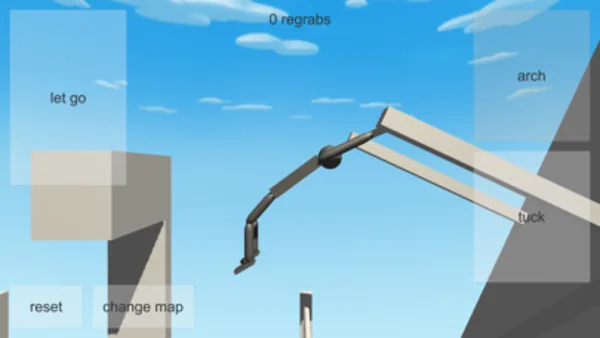
On the browser build you use ← to arch, Space to tuck, ↑ to let go and R to reset. On the phone apps, the same four actions are on-screen zones labelled arch, tuck, let go and reset. Start from a low bar and press R, or tap reset, between every attempt.
Do ten arch attempts with nothing else. Watch one full swing without pressing anything so you know where the bottom of the arc is, then arch at the same point in the swing every time. You are not chasing distance. You are looking for the tenth attempt to resemble the third.
If nothing responds at all on a computer, click once inside the game area before anything else. The controls guide has the full fix, and the PC setup guide covers loading problems.
Expect to fall during this block. Falling is the normal state of the game, and chasing a fall costs more time than resetting does. Press R, wait for the settled hang, and take the swing again from the same bar. The falling recovery guide covers what is worth doing when a fall does more than end the run.
Minutes 4–7: the same swing, three times
Now add one tuck. Run three attempts with a single tuck in the same place each time, reset between them, and compare against the arch-only swings from the first block.
Write down one observation per pair of sets. Examples that work: "tucking earlier in the swing carried more", "the tucked swing came back to the same bar", "the tucked swing lost height". What you are building is a note you can act on, not a good or bad score.
If the three attempts look nothing alike, do not add more inputs. Fix the swing first. The swing timing drill is the long version of this block.
Minutes 8–10: release and read the flight
Now let go with ↑, or use the let-go zone, over open space where a miss costs nothing. Stop touching the controls and watch the whole flight.
Look for three things every time: where the gymnast was when they let go, where the travel peaked, and how they finished relative to the floor or the next structure. Do that three times from the same swing, then once from a release slightly earlier and once slightly later.
By the end of this block you should be able to say which of those two release changes moved the gymnast closer to the next bar. If you cannot tell, your swing is not repeatable yet, and this block is worth repeating instead of moving on. The release timing guide develops the comparison further.
Minutes 11–13: the first catch attempt
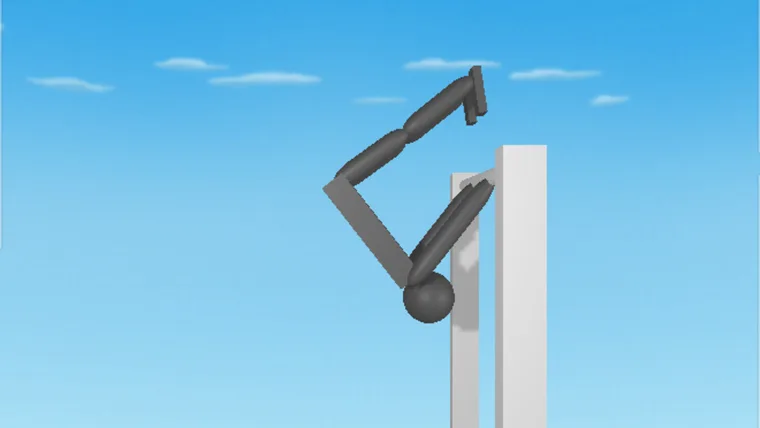
Aim at one bar with the swing you already trust. This is where impatience costs progress, so apply one rule: change one variable per attempt. Either the release moves or the body shape moves, never both.
- Run the trusted swing and release as normal. Accept the result even if it misses.
- Adjust only the release, using the direction you found in the last block.
- Reset and repeat the same release three times.
- If it is closer, keep it. If it is further, move back to where you were and change the body shape instead.
There is no grab key in the browser build, so the catch is entirely a product of the flight. Any reach for a fifth key at this point is wasted time; the regrab guide covers what to do instead.
Minutes 14–15: write it down
End the session deliberately. Write three short lines while the detail is fresh:
- The swing that worked: where in the arc the arch started, and where the tuck went.
- The release that worked: earlier or later than your instinct, and what it changed.
- The one thing to change next time: a single variable, not a list.
These three lines are worth more than an hour of unrecorded attempts. Next session, start from them before touching anything else.
On a phone, the store listings describe replay video export, which is a useful way to review a run you cannot describe. The browser build does not document an equivalent, so on a computer your notes are the record. Write them while you still remember which bar you started from.
One variable per attempt
This is the method that makes the plan work. When two things change at once, the result tells you nothing, and the instinct to keep adjusting feels like progress because something visibly happened.
| What you see | What to try |
|---|---|
| Attempts all look different | Reset between every attempt and change only the release timing. |
| The gymnast falls short every time | Hold the swing fixed and compare a later release against the same swing. |
| The gymnast flies past the bar | Hold the release steady and change only where the arch happens. |
| You reach the bar in a strange shape | Keep the release, change the body shape on the way in. |
| Your best run felt like luck | Repeat that setup exactly. If it repeats, it was not luck. |
| Nothing on screen responds | Click inside the game area, then check the browser issues guide. |
Browser and phone differences
This plan works on both, but the surrounding features do not line up.
- Browser: four keyboard inputs and nothing else documented. No map-change control is documented for this build.
- Phone apps: the Google Play and App Store listings describe touch zones for arch, tuck, let go, reset and change map, a regrab counter, 12 bar maps and 6 tumbling maps, twists and layouts, replay video export, optional account backup under Settings → Account, NoomiCoins, skins, 17 languages, HQ credits and a high-frame-rate option. These are described by the store listings; they are not browser features.
If your practice note refers to a map change or a counter, you are on a phone build. The version comparison and the mobile replay guide cover what is different and why.
Three things to try next
Pick the one that matches your note from the last block, and read it before you play again.
- The swing is repeatable but the flight is a guess. Read the swing timing drill.
- The flight is repeatable but the catch fails. Read how to regrab, then falling recovery for the runs that end on the floor.
- The catch is repeatable and you want more. Read flips and combos.
The full guide index has everything in one place, and your first swing rewrites minutes 1–10 in more depth if you want the long version before your next session.
Frequently asked questions
What should I do in my first 15 minutes of NoomiClone?
Three minutes to make the gymnast move, four minutes to repeat the same swing three times, three minutes to release and read the flight, three minutes to attempt the first catch, and two minutes to write down what you noticed. The plan gives you three concrete next steps to leave with.
What should be able to do after a first NoomiClone session?
Three things: get the gymnast moving with the documented keys, repeat one swing that you can recognise, and read where a release sent you. Those three are enough to build on, and none of them require a trick you have seen someone else do.
Why should I change only one variable per attempt in NoomiClone?
Because a change you cannot isolate is a change you cannot keep. If you alter the release point and the tuck in the same attempt, you have no way to tell which one moved the flight path. One variable per attempt is what makes the next attempt comparable to the last one.
Does the practice plan differ between browser and phone?
The plan is the same shape on both, but the input method differs, and the mobile build ships extra features such as twist and replay recording. The guide ends with three things to try next once the first session is done.
Sources and scope. Browser key bindings and mobile feature descriptions were checked against the developer's browser listing, Google Play and App Store on October 19, 2026. Practice drills are independent editorial suggestions. Game screenshot provenance is documented in About & sources.