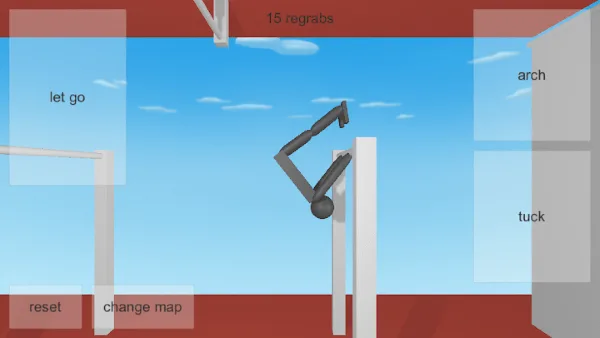
What "late" actually looks like
Players usually describe a timing problem as "my release always feels late". That sentence hides two different problems. One is that the press registered, but the gymnast was still travelling in a direction that sent the flight the wrong way — that is a release-point problem, and it is fixed by releasing at a different point in the swing. The other is that two attempts with the same inputs produced different results — that is a timing drift problem, and it is fixed by comparison rather than by pressing differently.
Separate them before you change anything. Take ten attempts from an identical setup, release at the same visual marker each time, and compare the first second of flight after each release. If the paths match and you still miss the bar, the timing is fine and the release point is wrong. If the paths differ, timing is moving and the comparison is your tool. The release timing guide covers the first case in full.
There is a reason the feeling and the result disagree. You time a release by feel, and feel is built from the swing you have practised most, not from the swing in front of you on this attempt. The feeling is not wrong, it is just calibrated to a different swing. Comparison is how you rebuild it, and it takes ten attempts rather than one to be worth trusting.
Why two identical attempts can differ
NoomiClone runs on Unity's physics system, and a small change in the instant you release produces a visibly different path. There is no animation smoothing over the result, so anything that shifts a swing even slightly shows up in the flight. From the outside, the usual suspects are:
- Frame rate. The player advances in steps. Two machines, or one machine before and after it got busy, can update the swing at different rates, and the same press lands on a different part of the arc. This guide will not invent a number for you: measure by comparison instead.
- Input method. A keyboard, a touch zone and a laptop key with travel are three different ways of asking for the same thing, and they are not interchangeable. On the mobile apps the four touch zones are labelled let go, arch, tuck and reset; on the browser build they are Up Arrow, Left Arrow, Space and R. Calibrate separately for each.
- Window focus. If the game window loses focus mid-swing, the release can arrive after the swing has already changed. This is the single most common reason a run that felt fine at home feels wrong at a desk.
- What the machine is doing. A download, a video call or a browser full of tabs can change how smoothly the session plays out, which changes what a given press lands on.
None of these can be read off a settings screen in the browser build. You find out which one is affecting you by changing a single factor and repeating the same test.
Calibrating your own release
You cannot compute the right release. You can find it, by bisecting between two releases you can already reproduce. This works on every edition.
- Build a swing you can repeat: the same inputs in the same order, from the same start, five times in a row.
- Release deliberately early at a fixed marker. Note the flight, not the landing.
- Release deliberately late at the same marker on the same swing. Note the flight again.
- Work between those two points in smaller steps until one flight clearly travels furthest toward the target bar.
- Repeat that release five times. If the flights no longer match, the swing drifted — go back to step one rather than adjusting the release.
- Write down the result as "earlier than I thought, but not as early as it feels". That sentence is usually true, and it is the whole reason the timing felt wrong.
The list of suspects above tells you what to hold still while you calibrate: the swing, the marker, the machine state and the window focus. Change one of them and you have to recalibrate from scratch, which is why the earlier-versus-later comparison only means something when both releases came from the same conditions.
Reading the result at the bar
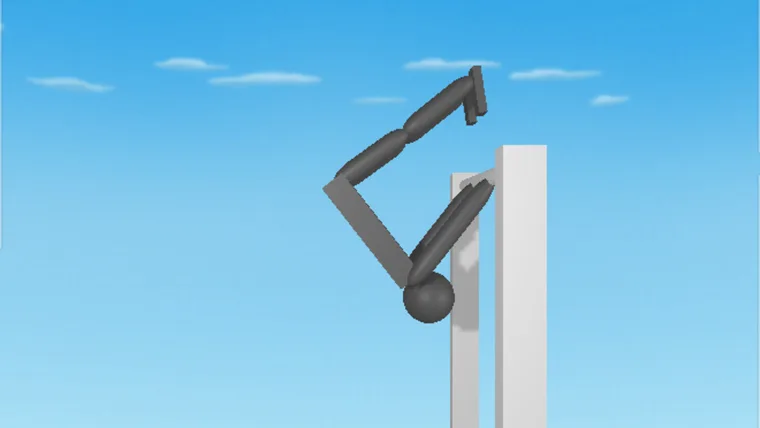
The line between a late-feeling release and a genuinely late release is easiest to see at the bar itself. If the flight is consistent but arrives further along than you expect — past the bar, or beyond where your hands were — the release was later than intended. Compare it against an earlier release from the same swing before concluding that the catch was missed for another reason.
If instead the flight arrives short, or from below, the release is not the problem and the approach is. Rebuild the swing first, then release again from the same marker. The regrab guide describes how to read the approach, and the falling and recovery guide covers what to do once you are down.
Interruptions and focus
A surprising number of "timing" complaints are interruptions. Before you recalibrate, rule these out:
- Alt-tabbing or clicking another window during a swing. Click back into the game area before the next attempt.
- Notifications, a meeting, or a phone. On mobile, backgrounding the app and returning to it mid-run is the same class of problem.
- Moving the browser window or changing its size. Do it between attempts, never during one.
- Switching between the browser build and a touch device in the same sitting. They have separate timings and separate calibrations.
- Starting a run right after a heavy page loads elsewhere. Give the machine a moment to settle.
If your results are stable once interruptions stop, your timing was never the problem — the run was being broken up. The browser fix list covers the page-level versions of this, including keys that scroll the page instead of reaching the game.
Keep a log you can actually read
| What to note | Why it helps |
|---|---|
| Release marker used | Turns "it felt late" into a point you can repeat. |
| Input order, including holds | Shows whether two attempts were the same attempt at all. |
| Flight direction after release | The only measurement that tells you early from late. |
| Result at the bar | Separates an approach problem from a release problem. |
| Anything that interrupted the run | Removes the most common false timing problem. |
| Session length | Shows whether fatigue, not timing, ended the attempt quality. |
Six lines per attempt is enough. A log you keep for three sessions is worth more than a detailed one you abandon after a day.
When timing is not the problem
If your release is consistent and the flights match, but you still miss, timing is not your blocker. Check these instead:
- The swing itself never settles. A release cannot be calibrated on a swing that changes every attempt. Start from the swing timing drill.
- Body position is changing. Held keys and multiple inputs in one swing make two swings that look alike behave differently. The common mistakes guide covers both.
- You are aiming at the wrong bar. Make the nearest catch repeatable before reaching further. Longer lines are in combos.
- Your build does not do what the tutorial says. The browser build documents four inputs and nothing more, so a video showing twists, layouts or a grab key is showing a different edition. Check the controls guide and the version comparison.
And if nothing you try changes the result, stop and check that the player is actually responding — a black canvas or an unfocused page looks exactly like terrible timing. Start a fresh session with the first session guide, or browse the full library.
Frequently asked questions
Why does my NoomiClone release always feel late?
Two identical attempts can differ because of frame rate, input method and window focus. The guide separates what late actually looks like from why attempts differ, then shows you how to calibrate your own release by comparing attempts instead of guessing.
How do you calibrate timing in NoomiClone?
Compare attempts rather than count frames. Keep a log you can actually read, release at a marked point in the swing, and record where you ended up. The guide shows what to write down so the log is useful on the next attempt.
Is timing really the problem when my NoomiClone attempts miss?
Not always, and the guide has a section for that case. If the result changes for reasons the log cannot explain, the timing is not the thing to fix, and the swing drill is the better place to spend the next session.
Sources and scope. Browser key bindings and mobile feature descriptions were checked against the developer's browser listing, Google Play and App Store on October 19, 2026. Practice drills are independent editorial suggestions. Game screenshot provenance is documented in About & sources.